> ## Documentation Index
> Fetch the complete documentation index at: https://docs.threataware.com/llms.txt
> Use this file to discover all available pages before exploring further.
# Settings → Teams
> Logical groups of users for sharing saved views, actions, Studio apps, and notifications
## What Teams are for
[Settings → Teams](/settings/teams) defines logical groupings of users that enable sharing without granting cross-role privileges. A user can belong to multiple Teams.
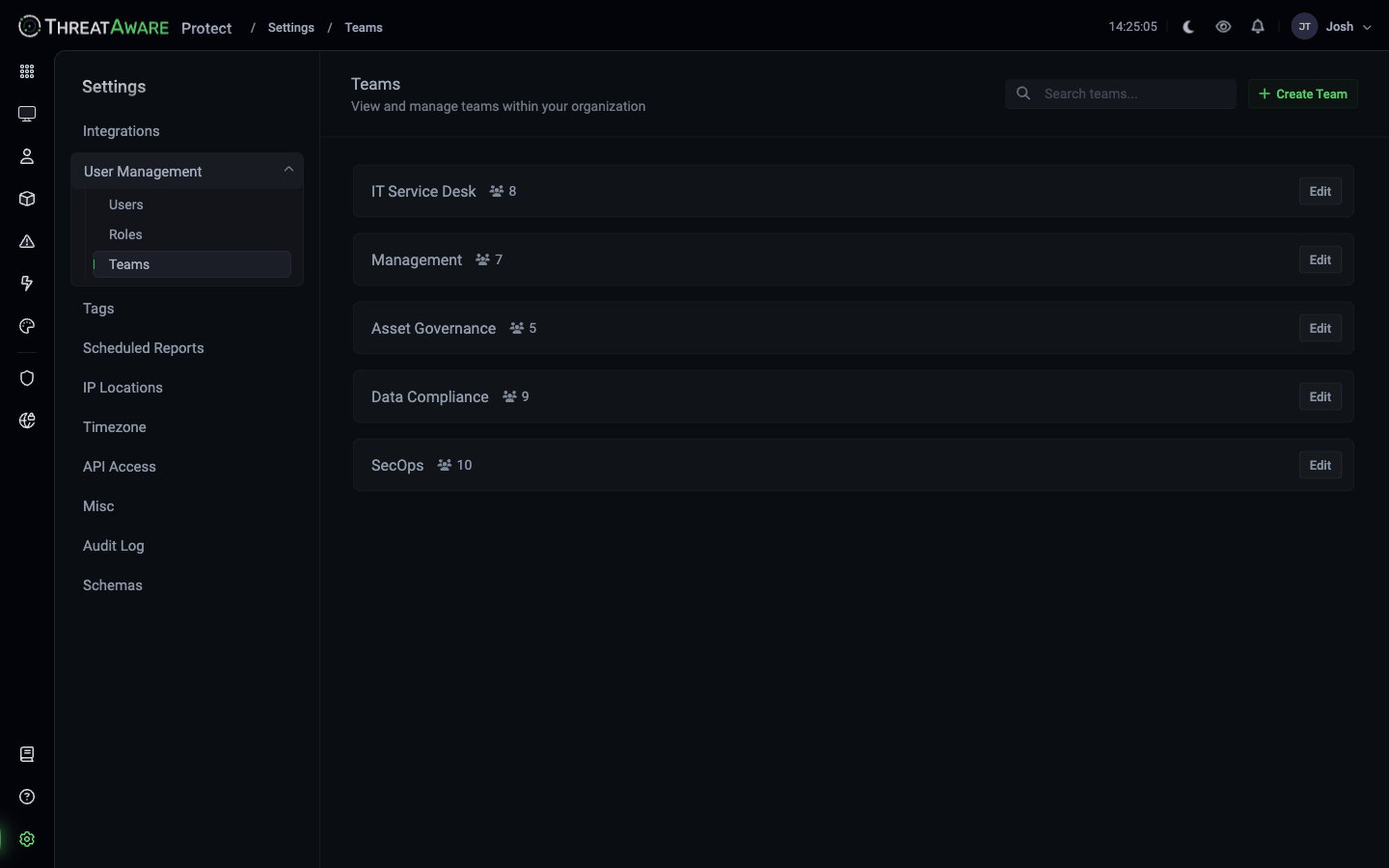 Example teams:
| Team | Members |
| ---------------- | ------- |
| IT Service Desk | 8 |
| Management | 7 |
| Asset Governance | 5 |
| Data Compliance | 9 |
| SecOps | 10 |
## What Teams unlock
| Capability | How |
| ------------------------- | --------------------------------------------------------------------------------------- |
| **Shared Saved Views** | When saving a view, pick "Team" visibility and select teams |
| **Action ownership** | Actions can be assigned to a team in their Owner field |
| **Studio app sharing** | Publish to one or more teams instead of Everyone |
| **Notifications routing** | Action automations can target a team's nominated channel (Teams/Slack webhook) |
| **Cross-area context** | Most "Team" filters in the product (Audit Log, Issue assignment) accept Team membership |
Teams are about *scope* not *privilege*. A Team doesn't grant additional permissions — it enables sharing.
## Creating a Team
Top-right.
Use a descriptive name aligned to your org chart or function — `SecOps`, `Asset Governance`, `Client-Acme`.
Pick users from your tenant. Search supports name / email.
Team is immediately usable in the visibility pickers across the product.
## Editing a Team
Click any Team's **Edit** to:
* Add or remove members
* Rename
* Delete (revokes Team-scope sharing on any view/action/app that referenced this Team)
Deleting a Team doesn't delete the underlying views, actions, or apps — but their **visibility** flips to Private (only the original creator can see them). Reassign visibility before deleting, or expect to manually re-share.
## Team design patterns
Most common: one Team per real-world team (SecOps, Help Desk, Compliance, Engineering Ops). Easy mental model, easy to maintain.
Time-bound Teams for specific projects (`Project-Win11-Migration`, `Acquisition-Acme-Onboarding`). Disband when complete.
One Team per client (`Client-Acme`, `Client-Bravo`). Combined with a tag-filtered custom role, you scope both *what* technicians see and *who* they share with.
`EMEA-Ops`, `APAC-Ops` — useful when regional teams own different bits of the estate.
## Cross-references
Conceptual model
Assign users to teams
Roles grant permissions; teams enable sharing
Example teams:
| Team | Members |
| ---------------- | ------- |
| IT Service Desk | 8 |
| Management | 7 |
| Asset Governance | 5 |
| Data Compliance | 9 |
| SecOps | 10 |
## What Teams unlock
| Capability | How |
| ------------------------- | --------------------------------------------------------------------------------------- |
| **Shared Saved Views** | When saving a view, pick "Team" visibility and select teams |
| **Action ownership** | Actions can be assigned to a team in their Owner field |
| **Studio app sharing** | Publish to one or more teams instead of Everyone |
| **Notifications routing** | Action automations can target a team's nominated channel (Teams/Slack webhook) |
| **Cross-area context** | Most "Team" filters in the product (Audit Log, Issue assignment) accept Team membership |
Teams are about *scope* not *privilege*. A Team doesn't grant additional permissions — it enables sharing.
## Creating a Team
Top-right.
Use a descriptive name aligned to your org chart or function — `SecOps`, `Asset Governance`, `Client-Acme`.
Pick users from your tenant. Search supports name / email.
Team is immediately usable in the visibility pickers across the product.
## Editing a Team
Click any Team's **Edit** to:
* Add or remove members
* Rename
* Delete (revokes Team-scope sharing on any view/action/app that referenced this Team)
Deleting a Team doesn't delete the underlying views, actions, or apps — but their **visibility** flips to Private (only the original creator can see them). Reassign visibility before deleting, or expect to manually re-share.
## Team design patterns
Most common: one Team per real-world team (SecOps, Help Desk, Compliance, Engineering Ops). Easy mental model, easy to maintain.
Time-bound Teams for specific projects (`Project-Win11-Migration`, `Acquisition-Acme-Onboarding`). Disband when complete.
One Team per client (`Client-Acme`, `Client-Bravo`). Combined with a tag-filtered custom role, you scope both *what* technicians see and *who* they share with.
`EMEA-Ops`, `APAC-Ops` — useful when regional teams own different bits of the estate.
## Cross-references
Conceptual model
Assign users to teams
Roles grant permissions; teams enable sharing