

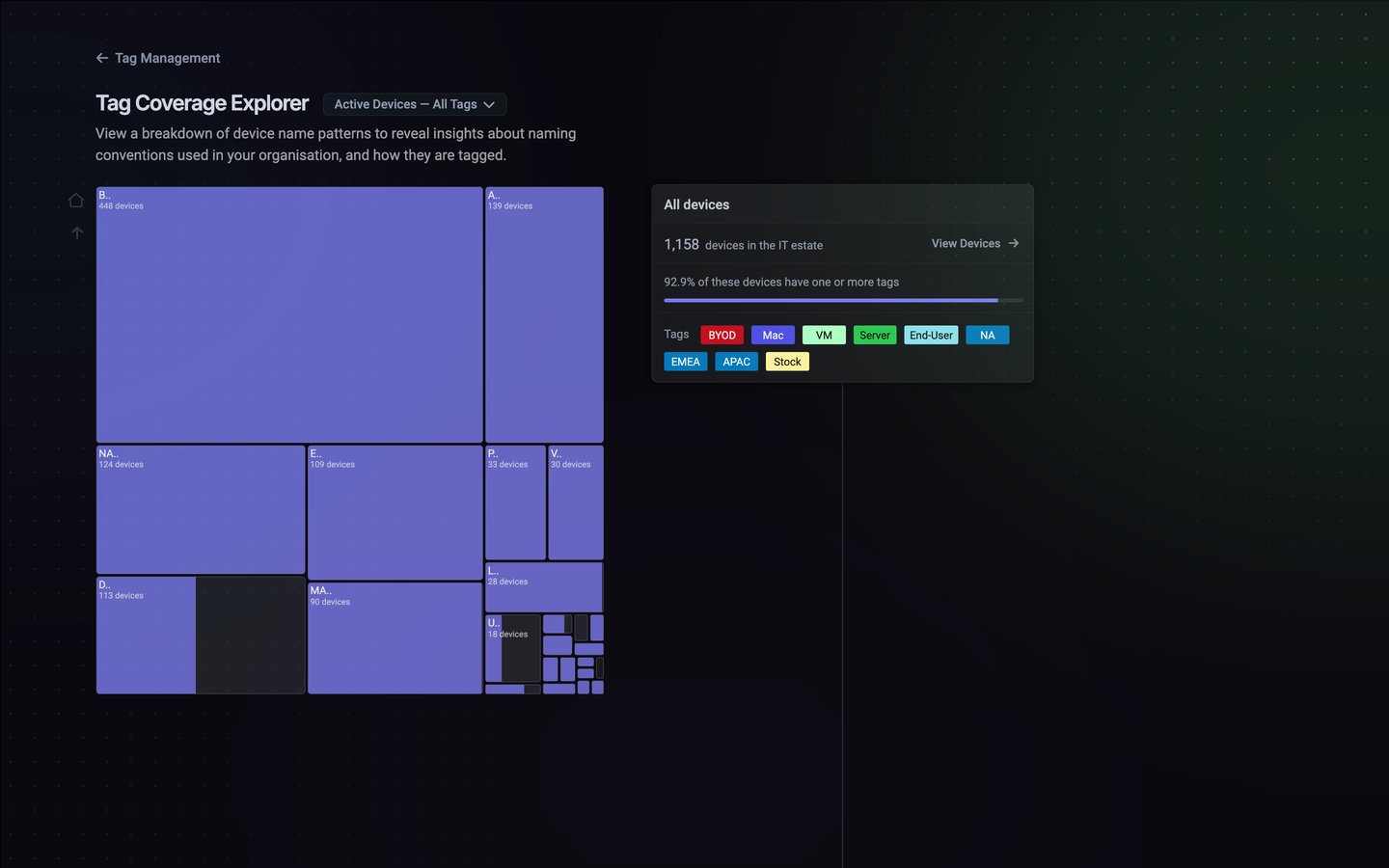
Reading the treemap
Each block is a group of devices whose names start with the same characters, such asB.. or NA.., sized by how many devices it contains. Coloured areas are devices with at least one tag; grey areas are devices with no tags. A block with a large grey area is a group your tag rules don’t reach.
The card on the right summarises whatever you’re looking at:
Hover over a block to see its card alongside the estate total.
Drilling into a prefix
Click a block to zoom into it. The treemap splits that group by the next character of the name, for example fromD.. into DE.., so you can find exactly where the untagged devices are. Use the Home and Up buttons on the left of the treemap to go back.
Tagging a prefix
When you find a group that should have its own tag, select it and click + Tagging Rule on its card.1
Add the rule
The rule appears under New Dynamic Rules at the bottom right, as Starts with the prefix. The card shows what coverage would be with the new tag.
2
Name the tag
Give the tag a name, and change its colour if you like. You can add rules for several prefixes before saving, and remove one with ×.
3
Save
Click Save and Apply Dynamic Rules. The rules stay unsaved until you do.
Changing what’s shown
Click the Active Devices — All Tags menu next to the title to change the view. Changes apply when you close the menu.- Show only active devices: on by default. Turn it off to include inactive devices.
- Show only name based dynamic tags: only count tags whose rule is based on a device-name prefix, to see how far your naming convention alone gets you.
When to use it
- After you change a tag rule, to check your coverage didn’t drop.
- When you first set up tags, to find the naming patterns worth tagging.
- From time to time, because new devices with unfamiliar names often arrive untagged.
Stock so they’re counted as covered. See Tags.
Next steps
Tags
Plan your tags and create them with the Logic Engine
Settings → Tags
Manage tags and open Coverage Explorer