

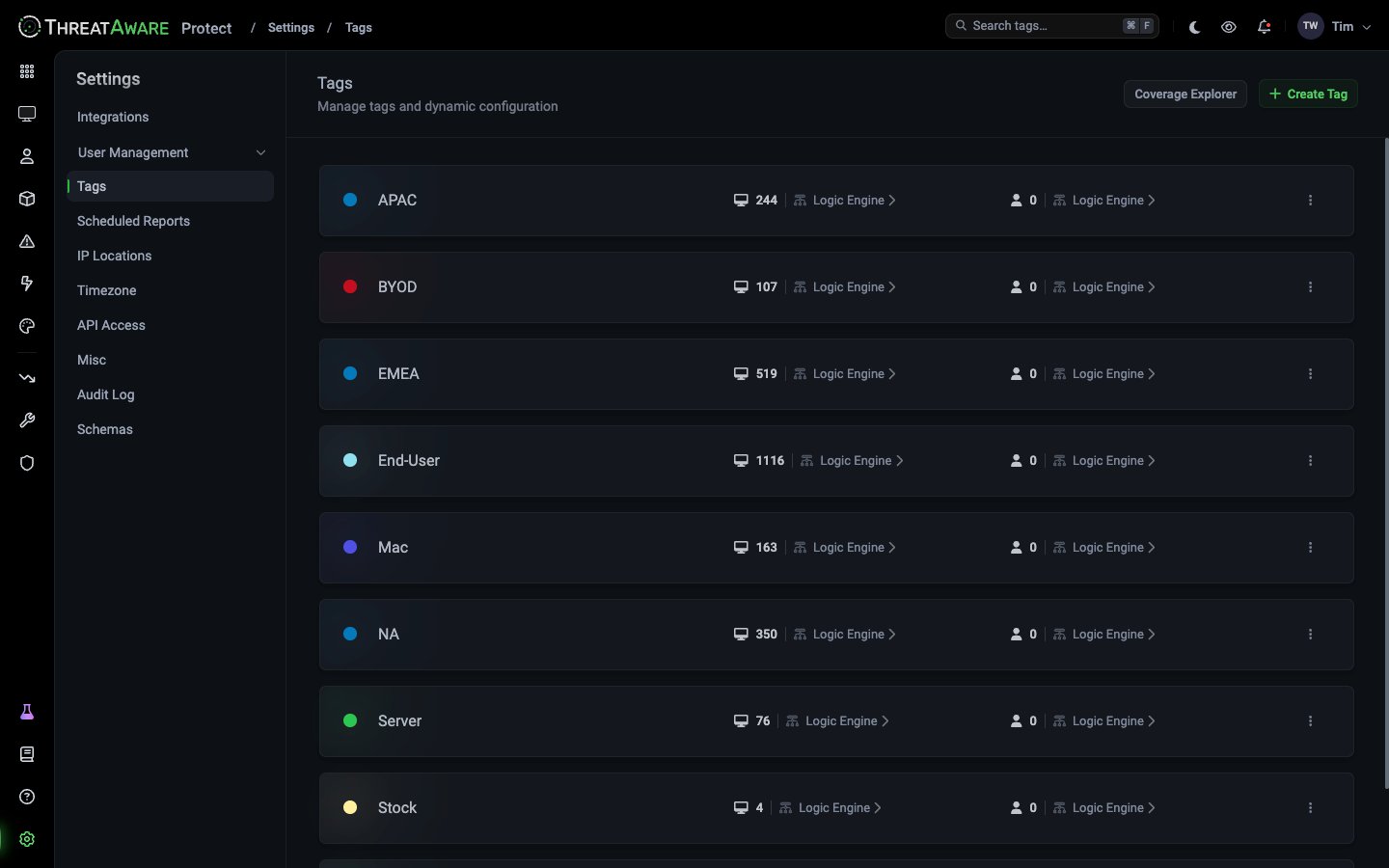
What’s on the page
Each row is one tag:
A new tag shows Setup Dynamic Targeting › instead of Logic Engine › until it has a published rule.
At the top right:
- Coverage Explorer: how much of your estate is tagged. See Coverage Explorer.
- + Create Tag: add a tag. See Create a tag.
The device count includes inactive devices, while Devices shows active devices by default, so the numbers can differ.
Editing a tag’s rule
Click Logic Engine › on the device or user side to open that rule. On Discover and Protect it opens in the Logic Engine; on Connect, in the Rule Editor. Change it, test it with Debug, then Publish. The tag updates as soon as the change is published. You can’t rename a tag or change its colour. To change either, create a new tag with the same rule, move anything that uses the old tag across, then delete the old one.Deleting a tag
Choose ⋮ → Delete tag and confirm. This removes the tag from every device and user it’s applied to, and can’t be undone. Before you delete a tag, check that no Vitals requirements, saved views or tracked views depend on it.Next steps
Tags
How tags work, and how to create one
Logic Engine
Build tag rules
Vitals Configuration
Require controls for each tag