

Restart the tour anytime
1
Open your user menu
Top-right of any page, click your initials (e.g.
JT).2
Click 'Help for this page'
From the dropdown.
3
Step through with Next / Previous
The overlay highlights one element per step with a brief explanation. Click Skip to dismiss at any point.
The Dashboard tour (9 steps)
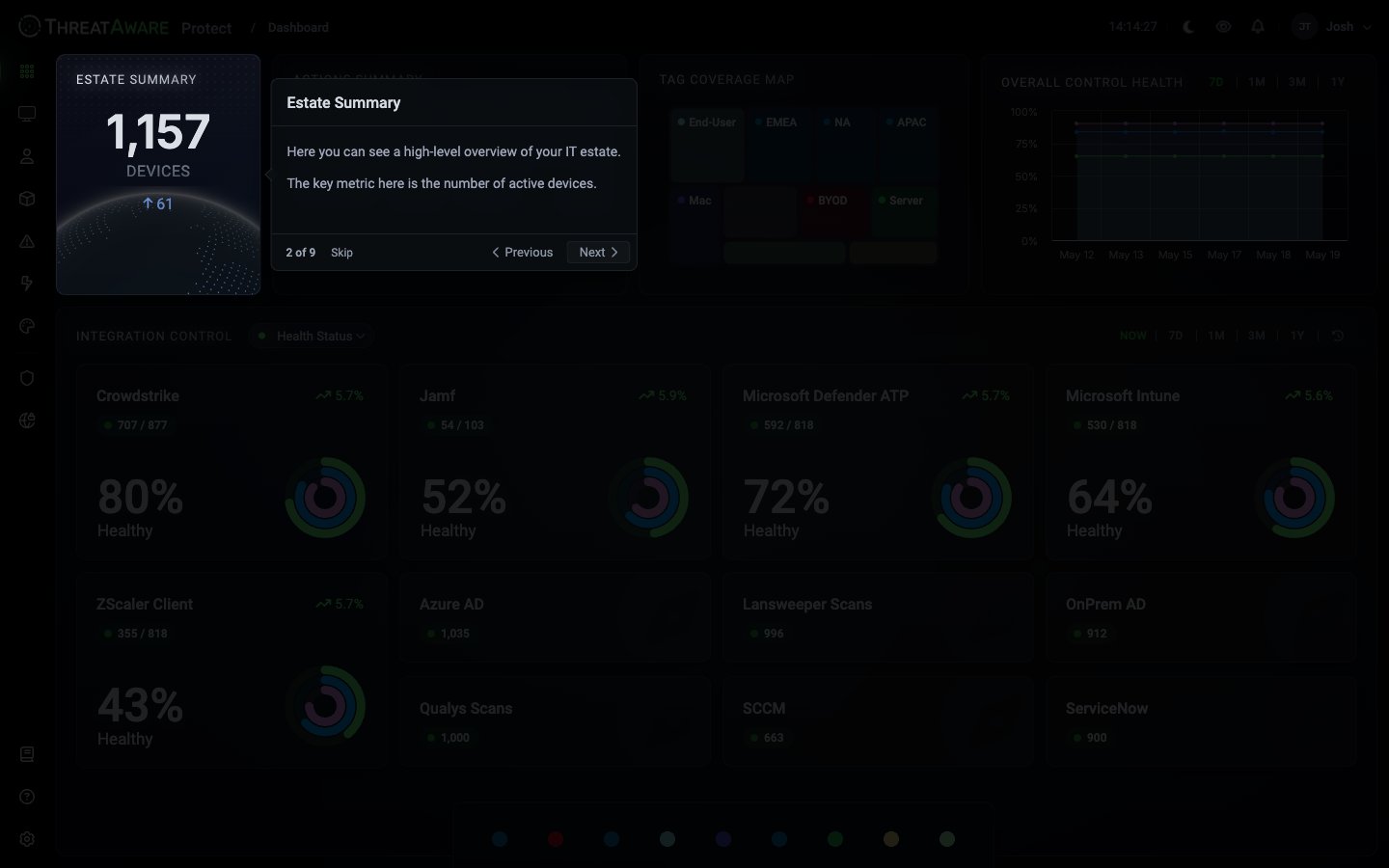
After completing the Dashboard tour, follow the platform’s recommendation and open the Devices page for the next tour.
Why restart the tour?
Onboarding new team members
Walk a new analyst through the dashboard in two minutes — the tour points at every panel.
After a version bump
When the version chip on Device Explorer ticks up, restart the tour to surface any new highlighted features.
Refreshing your own knowledge
Forgotten what a panel does? Restart the tour rather than digging into docs.
During a customer demo
The tour gives a consistent narrative — easier than ad-lib for first-time viewers.
Pair the tour with these doc pages
After running the tour, the natural follow-ups:Platform Overview
Full anatomy of the chrome and data flow
Onboarding
Connect your first integrations
Getting Started
Your first 24 hours