

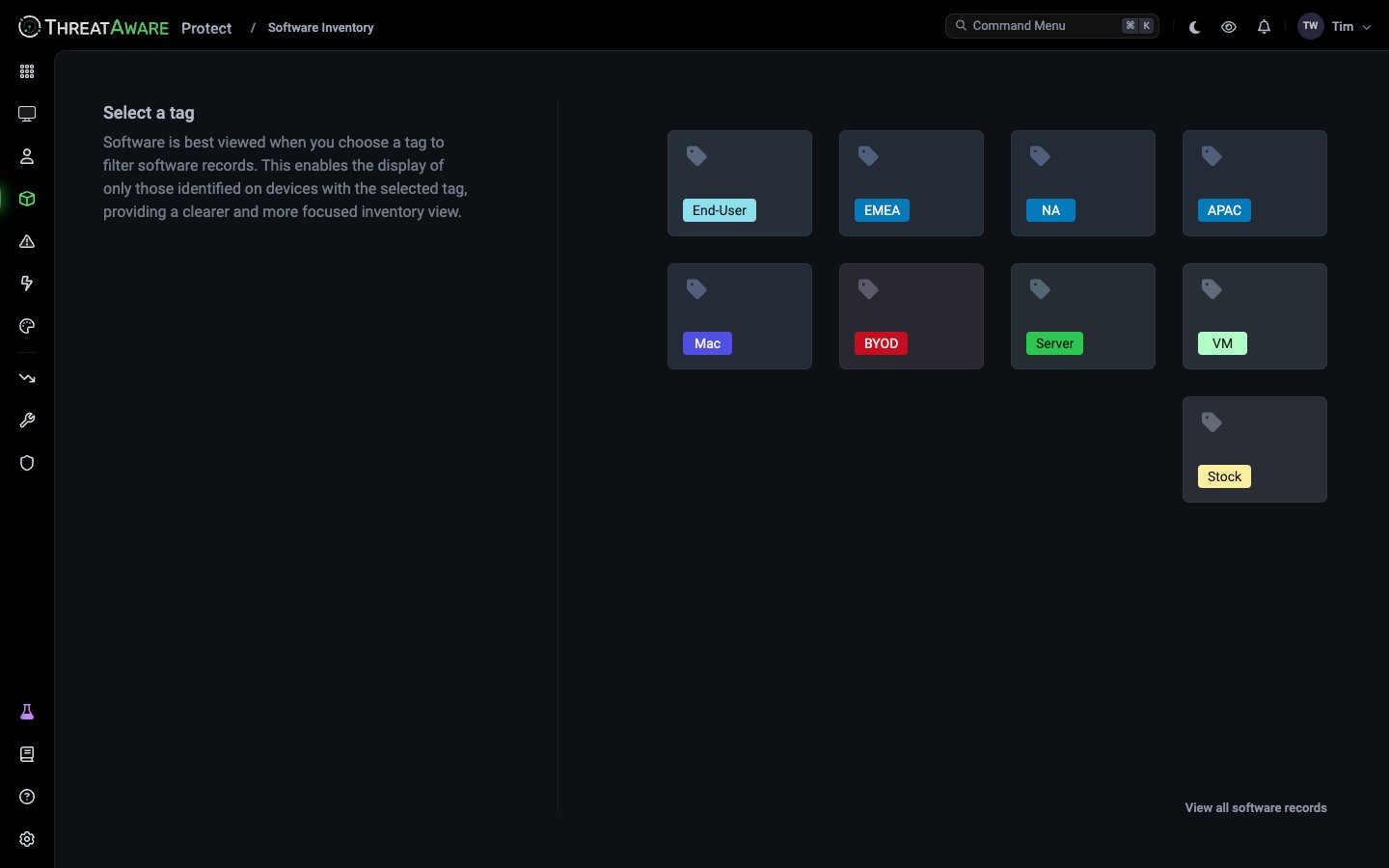
Choosing a tag first
Unlike Devices or Users, Software Inventory opens with a tag picker rather than a table. Across a large estate the full software list is huge and rarely useful as a whole, and most questions are really “what’s installed on my [tag] devices?”, so you pick a tag to scope the list first. To see everything instead, click View all software records under the tags. You can add more tags with + next to the tag at the top of the list. The list then shows software on devices with any of those tags.What’s on the page
The bar at the bottom of the screen shows which sources and devices the counts include, such as All Sources — Active Devices. Click it to change them.
Opening a software entry
Click a product to expand it into one row per version, each with its own device count. Click a device count to open Devices filtered to exactly those devices, where you can see who uses them, check their Vitals or track them until the software is removed or updated.Searching and filtering
Use Search software at the top of the screen to find a product by name. It’s a plain-text match on the product name, not the query language. To filter by anything else, scope by tag first, then open the devices from the device count and filter there. To go the other way and find every device that has a product installed, search Devices with a software query, such assoftware:{product:*Chrome}. See Find devices by installed software.
Common workflows
Where the data comes from
Different integrations report software in different ways:
Software data is refreshed about every two days, depending on the source, not hourly. A newly installed or updated application can take that long to appear.
If software you expect is missing, open the device, click Details and then Software to see the list ThreatAware has for it, and check which of your integrations report software. The Integrations page shows the features each source provides.
Next steps
Tags
Define the tags that scope this page
User Inventory
See who uses your devices
Scheduled Reports
Send a software export on a schedule