

The page
At/settings/misc:
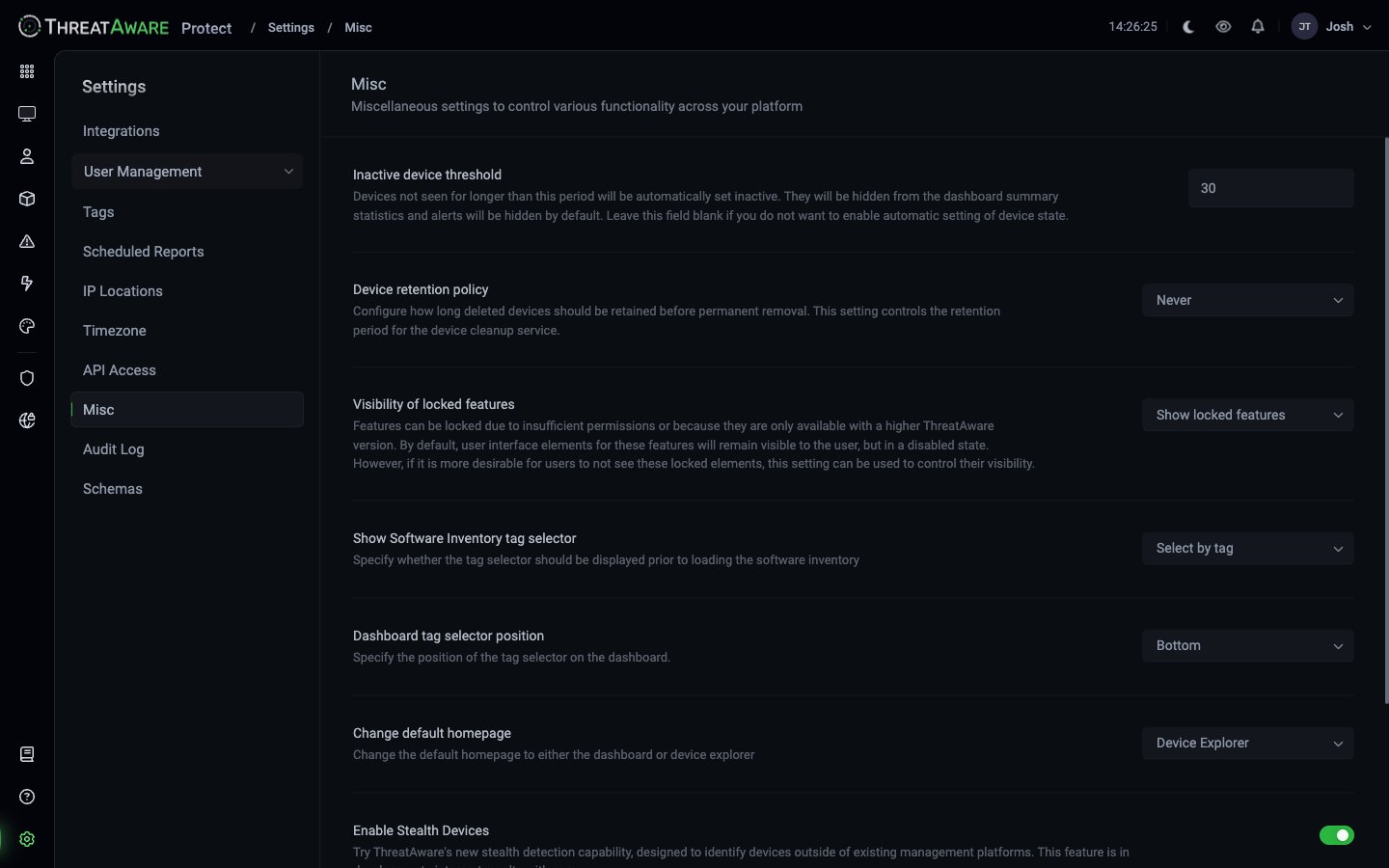
Settings reference
Inactive device threshold
Type: number of days (default30)
Devices not seen for longer than this period will be automatically set inactive. They will be hidden from the dashboard summary statistics and alerts will be hidden by default. Leave this field blank if you do not want to enable automatic setting of device state.Affects:
- Default visibility of devices everywhere (Devices grid defaults to Active)
- Dashboard counts — Estate Summary “Devices” excludes Inactive
- Vitals calculations — Inactive devices are excluded from health percentages
Device retention policy
Type: dropdown (defaultNever)
Configure how long deleted devices should be retained before permanent removal. This setting controls the retention period for the device cleanup service.Available values:
Custom, Never, 30 days, 60 days, 90 days, 180 days.
Never keeps device records indefinitely after they’ve been marked deleted by source tools — useful for compliance / audit. Shorter retention reduces tenant data volume. Custom lets you specify an arbitrary number.
Visibility of locked features
Type: dropdown (defaultShow locked features)
Features can be locked due to insufficient permissions or because they are only available with a higher ThreatAware version. By default, user interface elements for these features will remain visible to the user, but in a disabled state. However, if it is more desirable for users to not see these locked elements, this setting can be used to control their visibility.Available values:
Show Software Inventory tag selector
Type: dropdown (defaultSelect by tag)
Specify whether the tag selector should be displayed prior to loading the software inventoryAvailable values:
See Software Inventory.
Dashboard tag selector position
Type: dropdown (defaultBottom)
Specify the position of the tag selector on the dashboard.Available values:
Change default homepage
Type: dropdown (defaultDevice Explorer)
Change the default homepage to either the dashboard or device explorerAvailable values:
Enable Stealth Devices
Type: toggle (boolean)Try ThreatAware’s new stealth detection capability, designed to identify devices outside of existing management platforms. This feature is in development - interpret results with care.Beta feature. Finds unmanaged devices that people have used to sign in to your Microsoft 365 applications, using Microsoft 365 sign-in logs. The count shows on Device Explorer; see Stealth Devices.
Web access
Type: dropdown (defaultAsk for permission)
Control how the AI can access web resources. With permission mode, the AI will ask for your approval before making web requests. Automatic mode allows the AI to make web requests without prompting.Available values:
This governs Studio / AI-Composer behaviour when an AI prompt asks for external information.
Best practices
Don't disable the inactive threshold
Don't disable the inactive threshold
Leaving the threshold blank means devices stay Active forever — dashboards become misleading; saved views accumulate dead rows. Pick a sensible value (commonly 30-90 days).
Default to Device Explorer as homepage for ops
Default to Device Explorer as homepage for ops
Ops teams benefit from seeing the live integration sync row first. Leadership / compliance can override their own homepage via personal settings.
Keep the Software Inventory tag selector on
Keep the Software Inventory tag selector on
The full software grid is rarely useful unscoped — and slow to render. The picker forces a sensible first question.
Leave Web access on 'Ask for permission' to start
Leave Web access on 'Ask for permission' to start
Switching to
Automatic removes the per-request approval gate. Useful for trusted batch workflows, riskier for ad-hoc Studio prompts.Review Misc after major version bumps
Review Misc after major version bumps
New tenant-wide toggles appear here over time. The Misc page is the canonical place to find new flags.