

The page
At/settings/timezone:
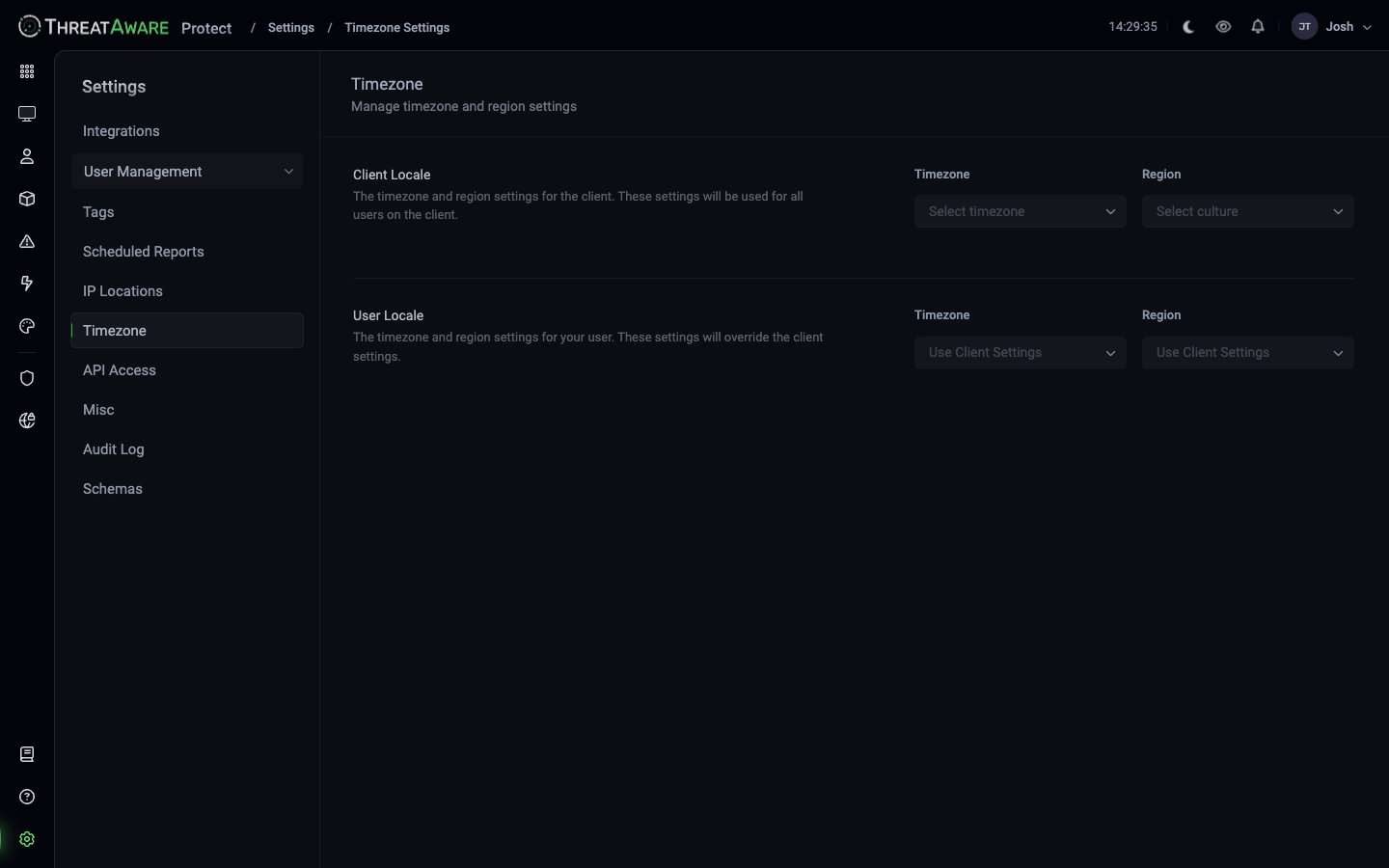
Client Locale (tenant default)
“The timezone and region settings for the client. These settings will be used for all users on the client.”- Timezone — IANA timezone (e.g.
Europe/London,America/New_York) - Region — culture / locale (e.g.
en-GB,en-US)
User Locale (per-user override)
“The timezone and region settings for your user. These settings will override the client settings.”- Timezone — defaults to
Use Client Settings; set to override - Region — defaults to
Use Client Settings; set to override
Why these settings matter
Timezone affects:- Date / time display everywhere in the product (top-right clock, audit log timestamps, last-seen times)
- Scheduled Reports delivery time
- Action automations that include timestamps in payloads
- API responses — timestamps in API output use the requesting user’s tz (default) or UTC if specified
- Date format (e.g.
19/05/2026vs05/19/2026) - Number formatting (thousands separators, decimal markers)
- Currency rendering in Studio apps
Setting tenant defaults
Super Admin only:- Choose your organisation’s primary timezone — usually the location of your operational team, not necessarily your HQ
- Choose the region —
en-GBfor UK English,en-USfor US English, etc. - Save
Per-user overrides
Each user can override their own locale from this same page (under User Locale). Useful for:- Distributed teams across multiple timezones
- Field engineers reporting from different regions
- Analysts who prefer specific date / number formats
Best practices
Pick the operational team's timezone, not HQ's
Pick the operational team's timezone, not HQ's
A US-headquartered company with a London SOC should probably set the tenant default to Europe/London, because the SOC reads the timestamps daily and HQ doesn’t.
Communicate scheduled-report times in the tenant TZ
Communicate scheduled-report times in the tenant TZ
“Weekly report Mondays at 8am” is unambiguous when everyone reads from the tenant TZ. Avoid “08:00 UTC” in human-facing copy unless you know your audience is distributed.
Audit log timestamps follow viewer TZ
Audit log timestamps follow viewer TZ
When pulling audit-log evidence for a third party, mention which TZ the timestamps are in (or set your User Locale to UTC during the export).