

The page
/settings/scheduled-reports — “Manage and schedule recurring reports for timely insights.”
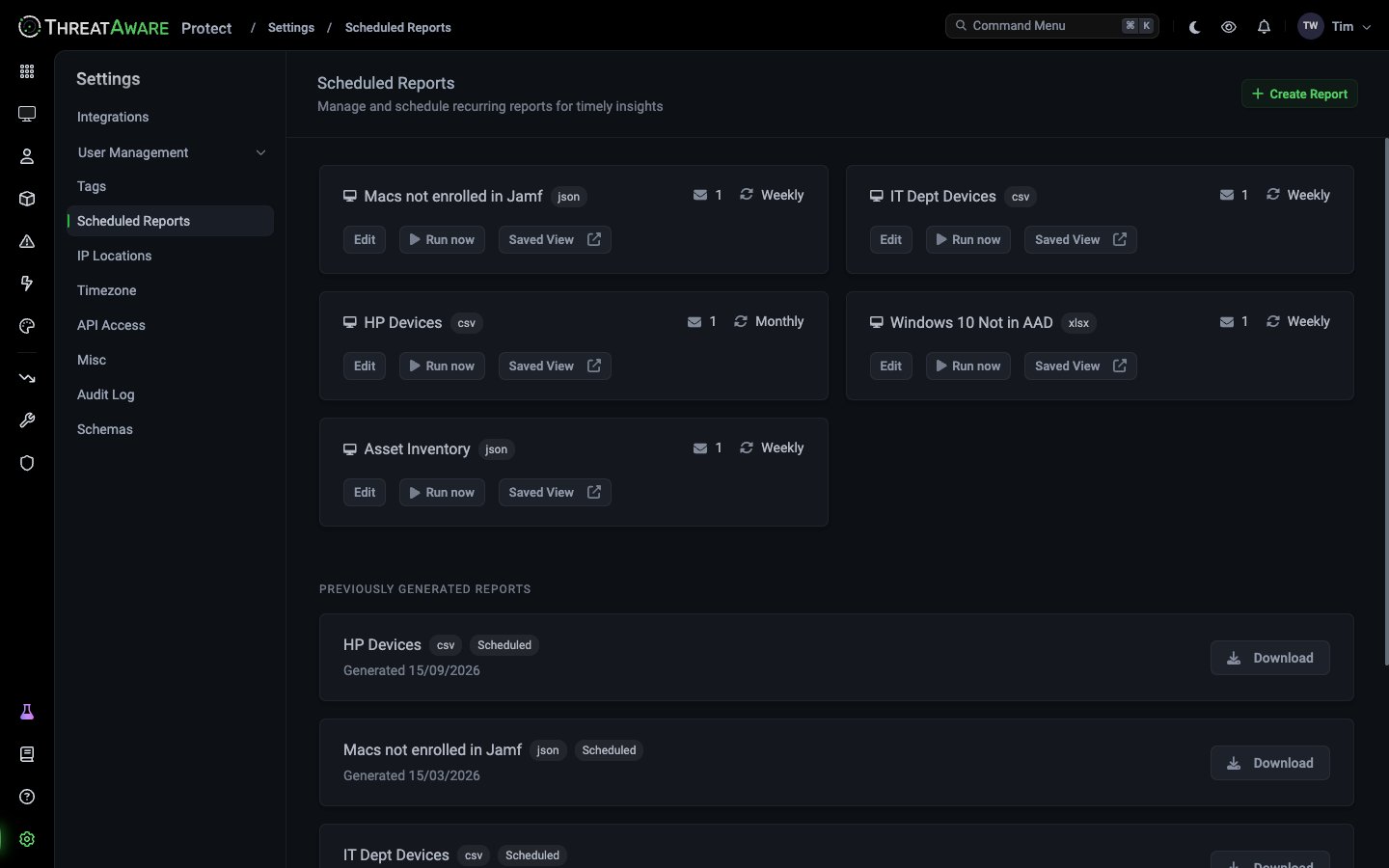
Top-right: + Create Report.
Below the active schedules: PREVIOUSLY GENERATED REPORTS — every past delivery with a Download button.
How scheduled reports work
A scheduled report has three configured parts — Saved View + Format + Schedule — which combine to produce an email delivery at the scheduled time. At the scheduled time, ThreatAware:- Re-runs the saved view’s query against current data
- Renders the result in the chosen format (CSV, JSON or Excel)
- Emails the file to all recipients
- Stores a copy in PREVIOUSLY GENERATED REPORTS for download
Creating a scheduled report
1
Click + Create Report
Top-right.
2
3
Pick a format
- CSV — best for Excel, easy import into BI tools
- JSON — best for scripts, automation, data warehouse
- Excel — best for direct Excel consumption with formatting preserved
4
Set the frequency
Choose Daily, Weekly, Monthly, Quarterly, Biannual or Yearly, then the day and hour.
5
Add recipients
Add ThreatAware users, or type external email addresses.
6
Save
The schedule is live. Click Run now to verify the email pipeline before waiting for the scheduled time.
Common scheduled reports
Example schedules include:
Replicate any of these patterns:
Limitations
Best practices
Time the delivery for the audience
Time the delivery for the audience
Operational reports: Monday morning. Leadership reports: first business day of the month. Avoid Friday afternoon.
Match recipient list to actual readership
Match recipient list to actual readership
A daily report to 30 people is mostly noise. Three close partners + a shared inbox usually serves the audience without burying it.
Pair every report with an Action
Pair every report with an Action
If you’re emailing a list of broken devices weekly, you should also have an Action driving remediation. Reports without ownership become wallpaper.
Archive auditor reports separately
Archive auditor reports separately
The PREVIOUSLY GENERATED REPORTS list is convenience. For compliance archives, configure the recipient list to include a shared mailbox that forwards to your audit retention system.
Cross-references
Reporting overview
Conceptual view of reporting surfaces
Saved views
Prerequisite for scheduling
Studio
For richer / interactive reports